Press
Language: Français · English · Deutsch · Español · Italiano · 日本語 · 简体中文
DiskPearl press room · updated 1 October 2026.
DiskPearl is a Mac app that shows what really takes up space on the disk and explains macOS "System Data", often huge and given without any detail. AI can help identify unknown folders when the user asks, without ever reading file contents. Whatever the user chooses to remove goes to the Trash: nothing is deleted for good.
Fact sheet
- Name: DiskPearl
- Version: 1.0.0, released 30 September 2026
- Publisher: Guillaume BEUZELIN, independent developer, Poissy (France)
- System: macOS 13 Ventura or later, Apple silicon or Intel Macs (universal app)
- Languages: English, French, German, Spanish, Italian, Japanese, Simplified Chinese
- Download: free at diskpearl.com, about 7 MB, Developer ID signed and notarised by Apple
- Price: free scan, no time limit. Licence €5 per Mac until 31 October 2026 (launch price), then €10. One-time purchase, no subscription, every 1.x update included
- Payment: Stripe, seller of record; licence delivered immediately
- Privacy: no account, no telemetry; the scan stays on the Mac; the licence works offline
- AI (optional): Claude, OpenAI, a local model, or a ready-made question to paste into any assistant; only anonymised metadata is sent, after the user approves it
- Not on the Mac App Store: the App Store sandbox would prevent reading the whole disk
What sets DiskPearl apart
- System Data, explained: 190 well-known folders recognised out of the box, in a catalogue users extend themselves, with AI help if they wish.
- The cost of every removal, known in advance: rebuilt automatically, downloaded again, reinstall needed, or gone for good.
- Everything goes through the Trash, everything can be restored: removal history and one-click restore.
- Duplicates checked byte by byte: apps and their leftovers, and each folder's size tracked from one scan to the next.
Visuals
- App icon, 1024 × 1024 px (PNG)
- App icon, 512 × 512 px (PNG)
- All screenshots and the icon in one file (ZIP, 3 MB)
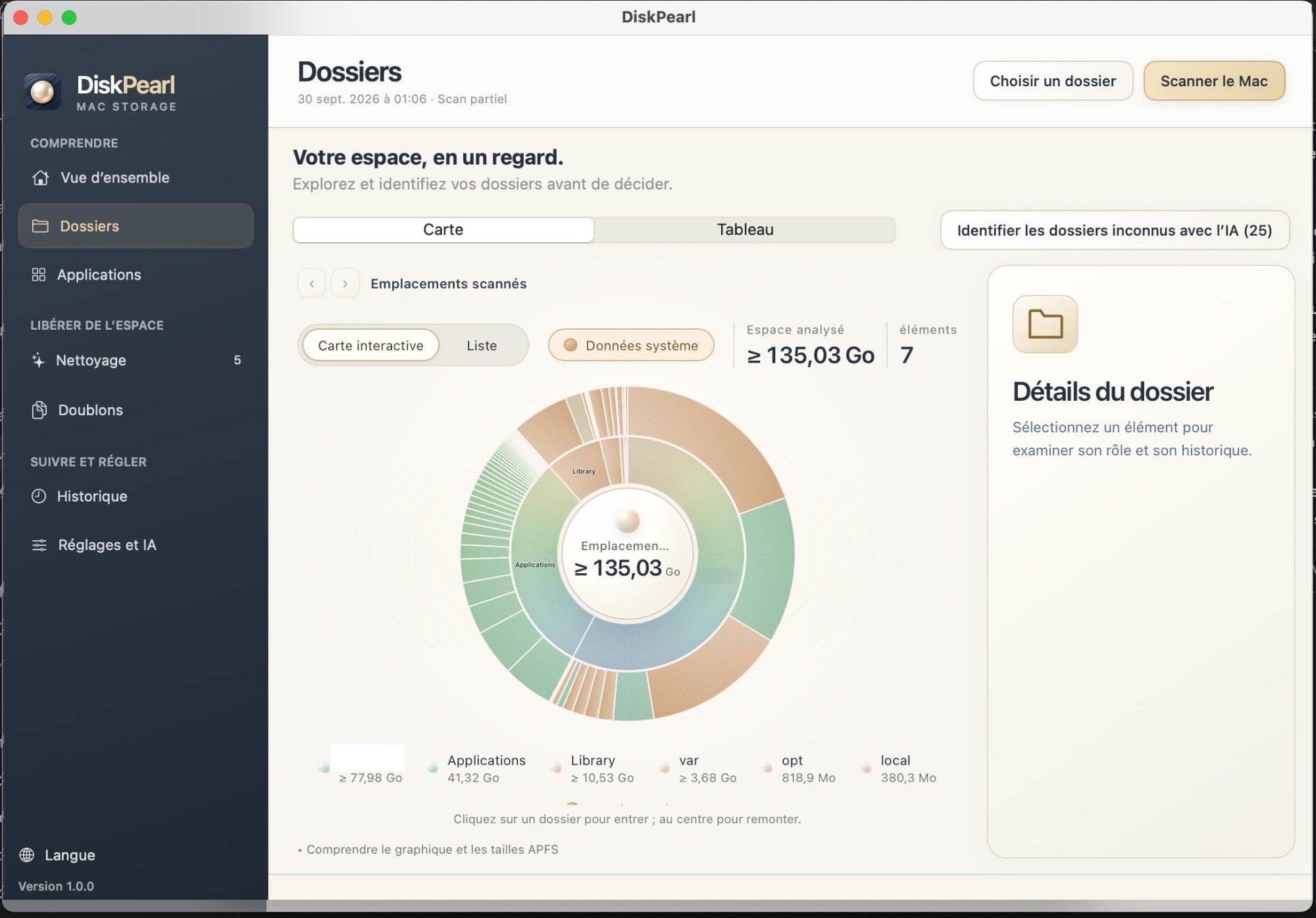
- The disk map
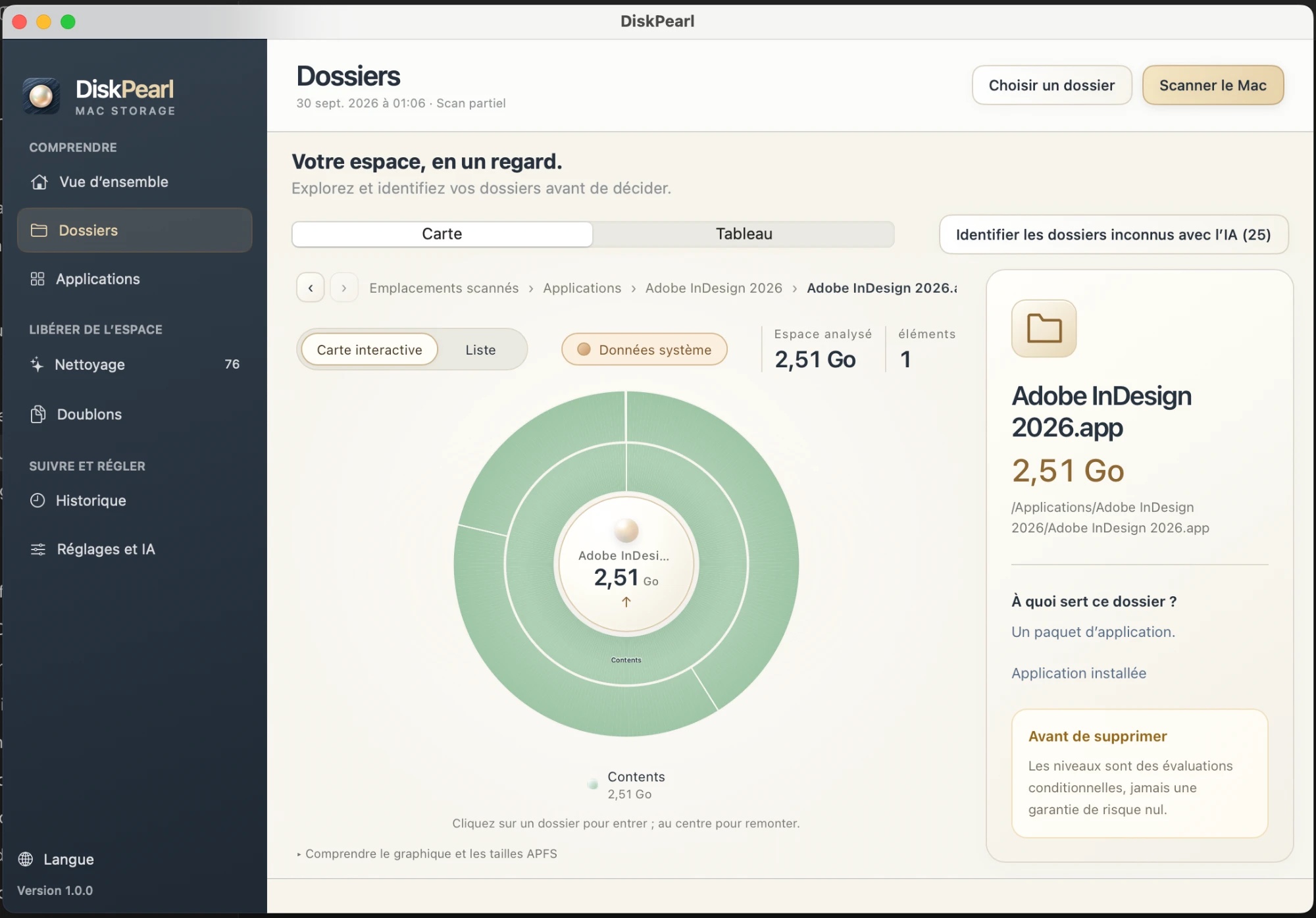
- A folder opened on the map, with its explanation
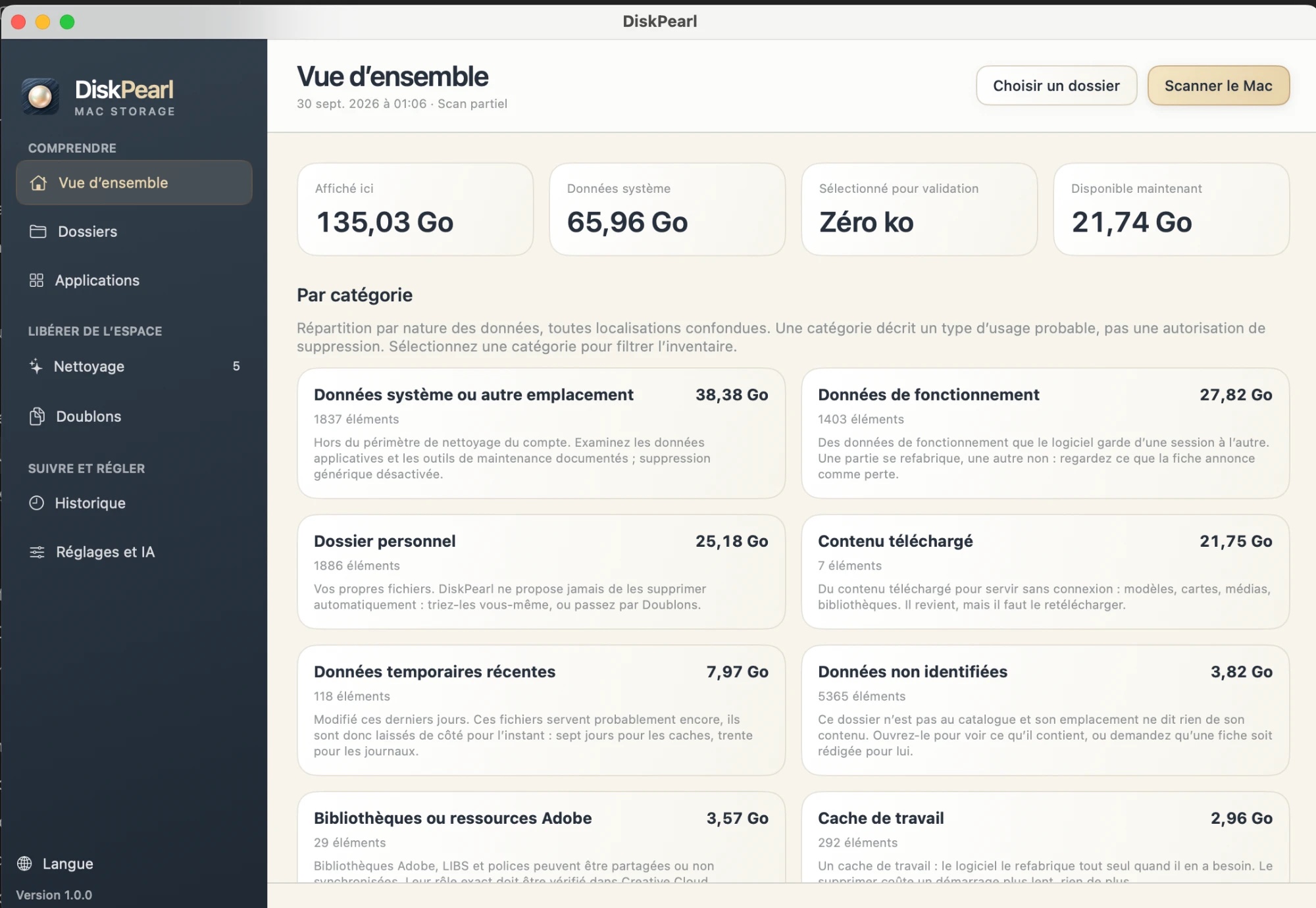
- Overview by category
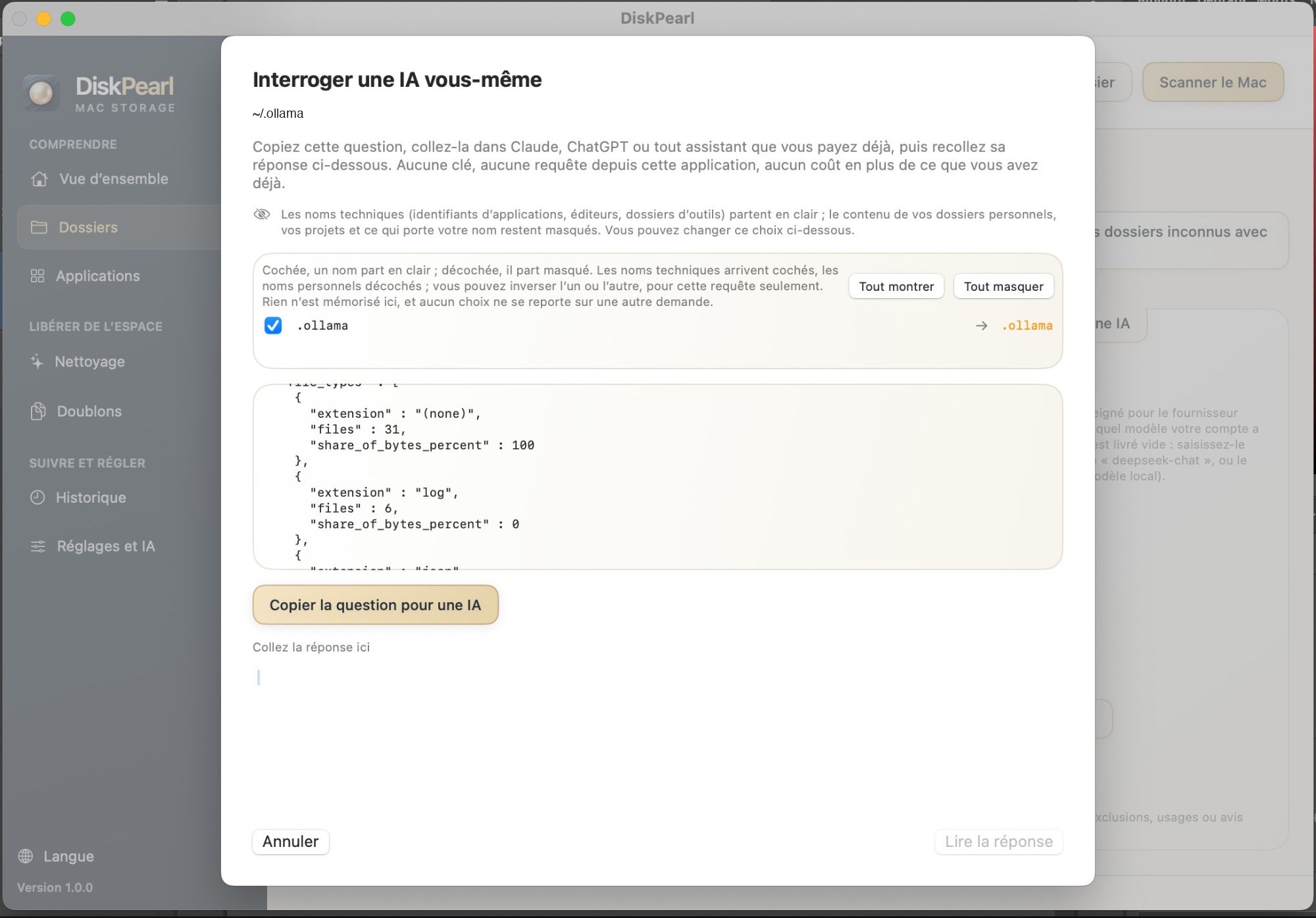
- A ready-made AI question, personal names masked
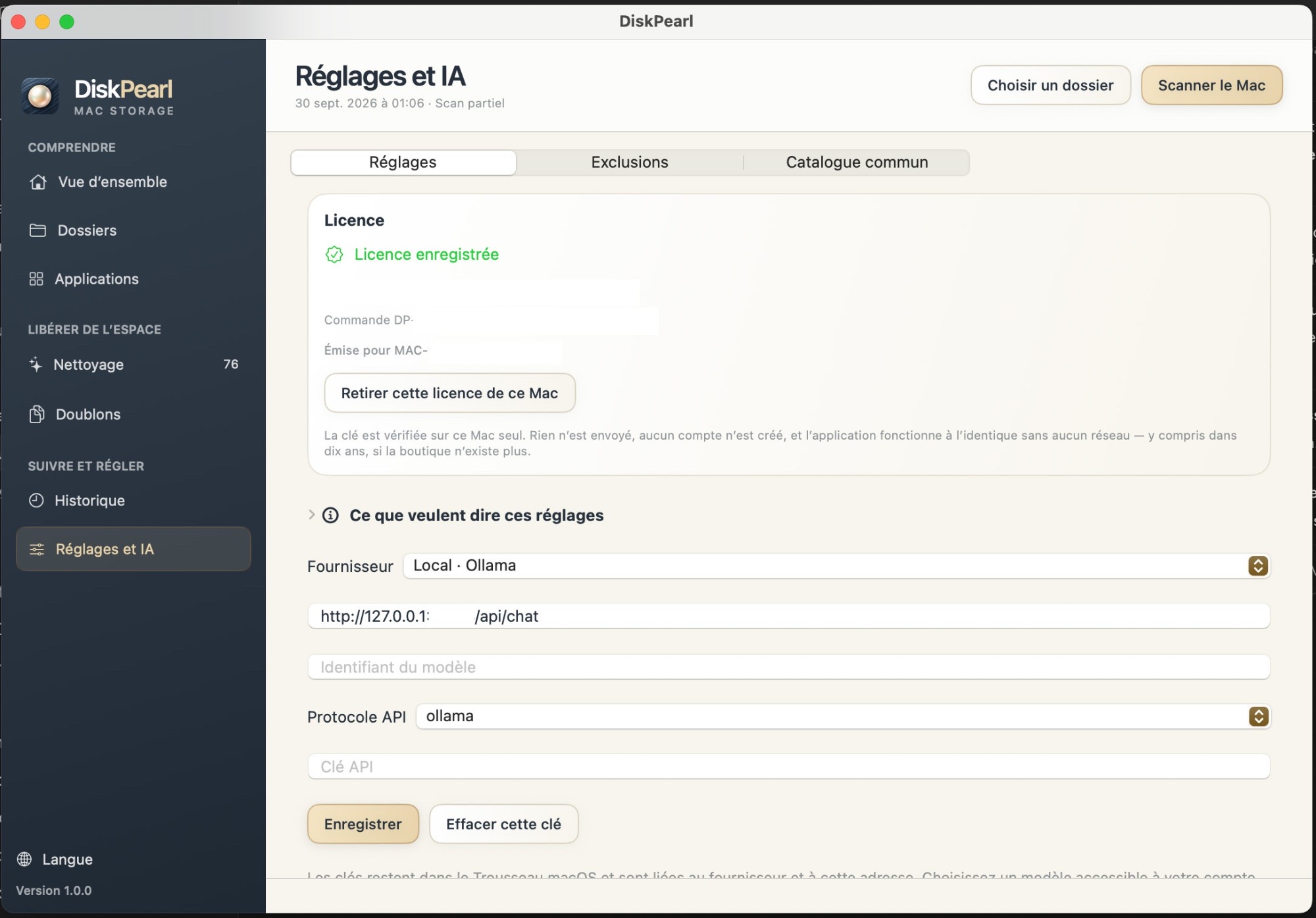
- Settings: local AI or the provider of your choice
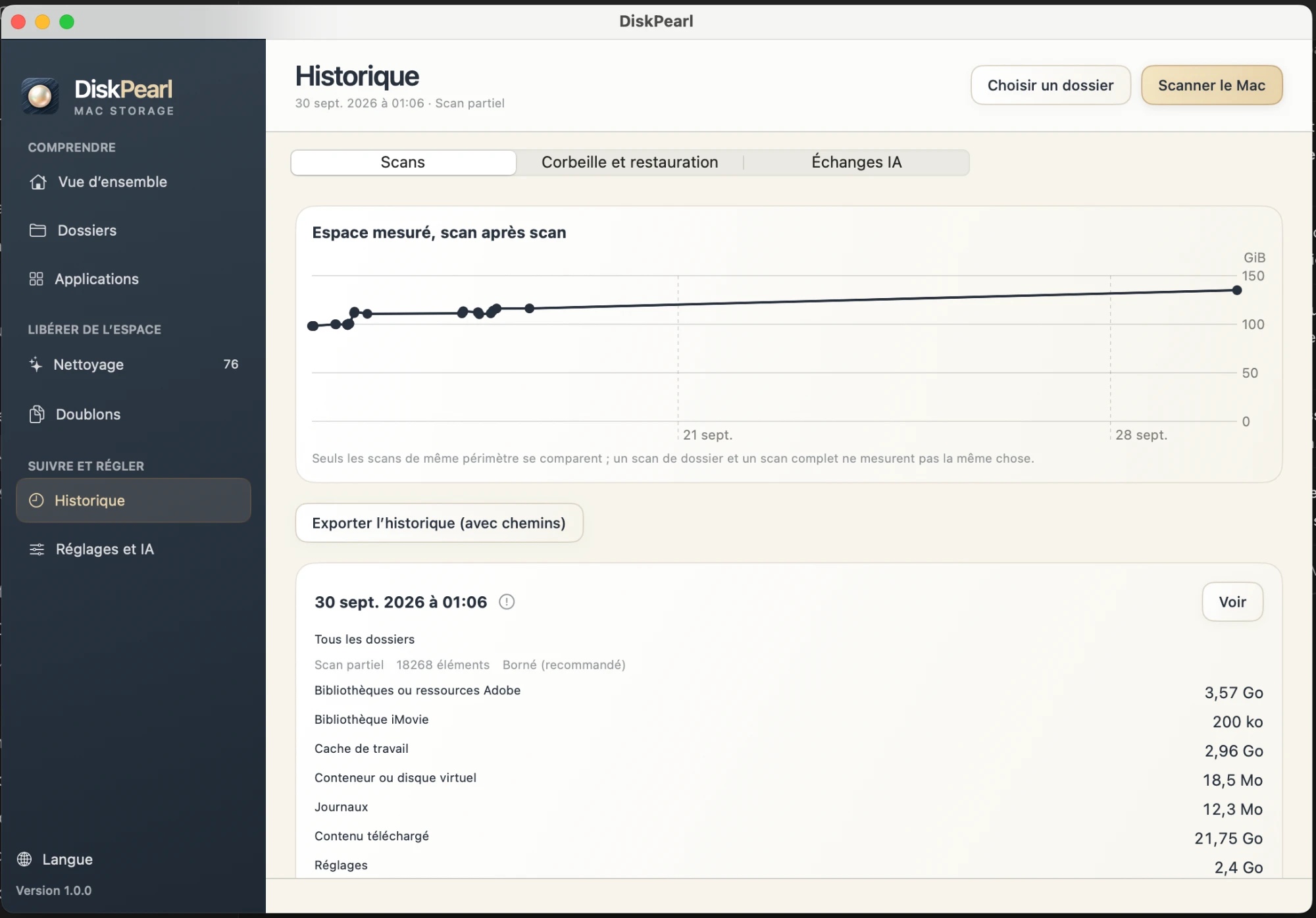
- History: measured space, scan after scan
These visuals may be freely reproduced to illustrate an article about DiskPearl.
Licence for journalists
A full licence is offered to review the app. Open DiskPearl, click "Activate my licence", copy the "Code of this Mac" (MAC-XXXX-XXXX-XXXX) and email it to us: we send you the licence, usually within 24 hours.
Press contact
Guillaume BEUZELIN · contact@diskpearl.com · +33 9 72 19 34 68